How to Take Photos That Sell on Vinted (2026 Guide)
Photos decide whether your Vinted listing sells. Buyers scroll fast, and your first photo gets a fraction of a second in a small thumbnail to earn a tap. Two identical items at the same price can have completely different outcomes purely because one was photographed well and the other was shot on a dark carpet. The good news is that great listing photos are a repeatable process, not a talent, and this guide walks through it.
Why photos matter more than anything else on Vinted
A buyer cannot touch the item, so your photos do all the work that a changing room would. Clear, bright, honest photos answer the questions a buyer would otherwise message you about: what the colour really looks like, what condition it is in, and whether it looks like the listings they trust. Poor photos do the opposite. They create doubt, and doubtful buyers do not buy, they scroll past.
Here is the same polo shirt, photographed on a bedroom carpet and then presented properly. Same item, same condition, completely different listing:
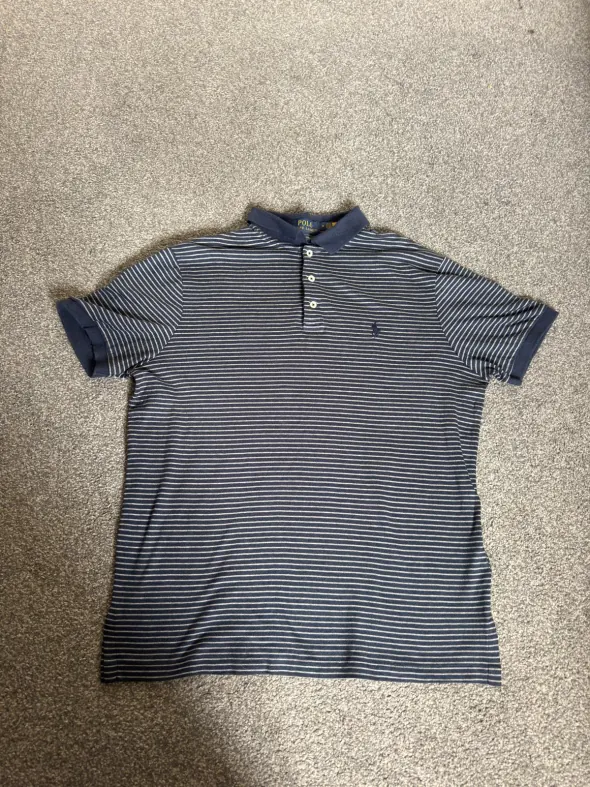 Before
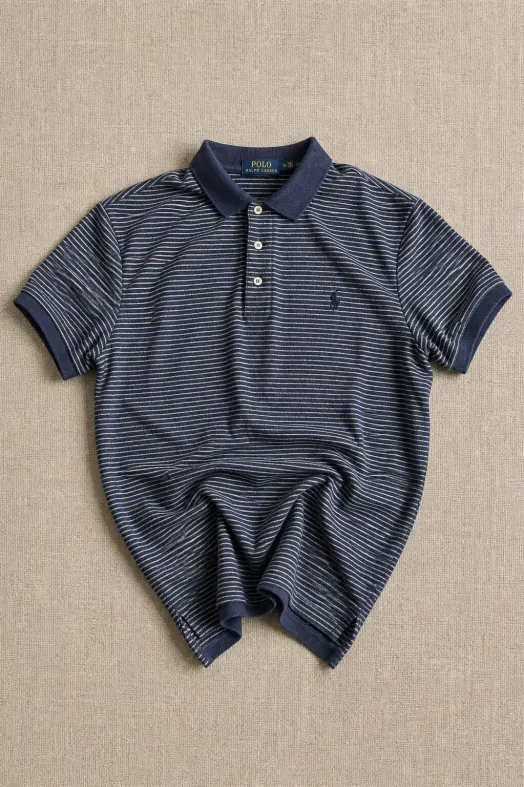 After
AfterIf your items are sitting unsold, photos are the first thing to fix before you touch the price.
The basic setup: light, background, phone
You do not need a camera or equipment. You need three things:
- Natural daylight. Shoot near a window during the day. Avoid yellow indoor lighting at night, and avoid direct harsh sunlight that blows out colours.
- A plain background. A white wall, a plain sheet, or a clean wooden floor. The item should be the only thing in the frame, not your room.
- A steady phone. Wipe the lens, hold it level over the item, and fill the frame. Every modern phone is more than good enough.
Consistency helps too. When all your listings share a similar clean style, your profile looks like a proper seller rather than a one-off clear-out, and that trust carries into every sale.
The shots every listing needs
Aim for at least five photos per item:
- 1The hero shot. Front of the item, laid flat or hung, filling the frame. This is your thumbnail, so make it the best one.
- 2The back. Buyers expect it, and it saves questions.
- 3The labels. Brand tag and size tag, in focus. This builds trust and helps buyers searching by size.
- 4The details. Zips, buttons, prints, stitching, anything that shows quality.
- 5Any flaws, honestly. Bobbling, marks, worn cuffs. Photographing flaws clearly prevents returns, disputes and bad reviews, and buyers respect it.
Common photo mistakes that kill sales
- Dark, cluttered shots. The single most common reason listings get scrolled past.
- Creased items. A quick steam or iron before shooting noticeably lifts perceived value.
- Heavy filters. If the colour in your photo does not match the item that arrives, you will hear about it in your reviews.
- One photo listings. Fewer photos means more doubt, fewer taps, and lower offers.
- Hiding flaws. It does not work. The buyer finds the flaw on arrival and the problem becomes a dispute instead of a fair sale.
The real cost is time
Here is the part nobody tells beginners: once you are listing regularly, photography becomes the bottleneck. Steaming, arranging, shooting and reshooting a batch of items takes real time, and it is exactly the kind of repetitive work that makes people fall behind on listing. Items that are not listed cannot sell.
This is where tooling earns its keep. Resell Reserve includes an AI Photo Enhancer on every paid plan. You upload your phone photo in the Discord AI channel, pick a layout, such as a folded flat lay, scrunch or close-up, and one of 10+ studio backgrounds like marble or stone, and the AI returns a clean, professional version of your photo in seconds. On the Ultimate plan, Reference Match goes further and matches the style of any reference photo you provide, so your whole shop can share one consistent look. Every paid plan gets monthly credits: 3 on Beginner, 10 on Advanced and 50 on Ultimate.
This is a real example. The input is a quarter zip photographed on a blanket; the output is the AI studio version of the same photo:
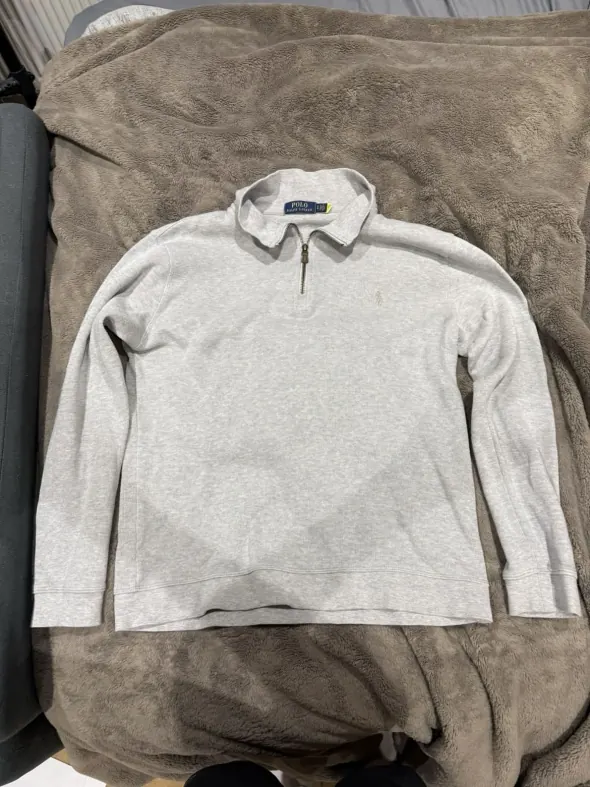 Before
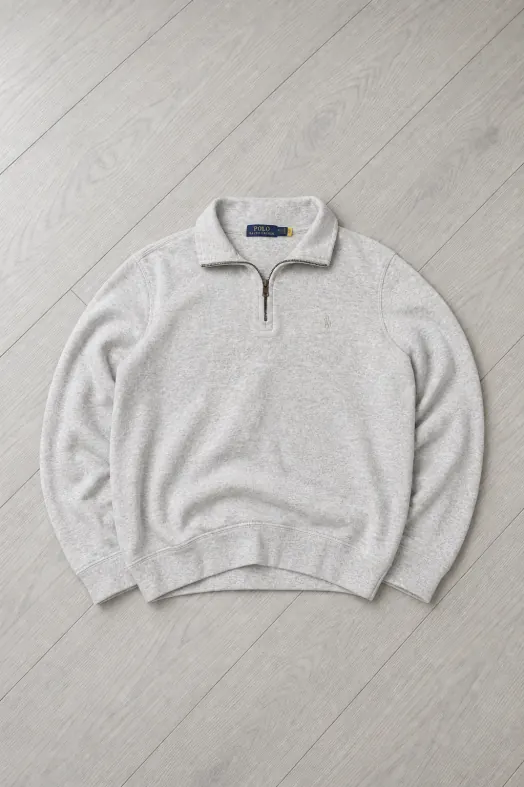 After
AfterOne honest rule applies: use enhancement to present your item professionally, never to misrepresent it. Condition photos should always show the item as it really is.
Start taking photos that sell
Shoot in daylight, keep the background plain, cover the five key shots, and be honest about flaws. Do that consistently and your listings will convert better than most of the marketplace. When you are ready to speed the whole process up, Resell Reserve's AI tools handle the polish for you, and new members get 20% off their first month with code WELCOME20. Browse the free guides or compare the plans to get started.
Catch the flip before it's gone.
Resell Reserve's DUAL Vinted monitors ping you the instant a deal lands — two running in parallel at 0.05-second detection. Get started — 20% off your first month with WELCOME20.